Kitchen Wait Time

12 min

Table Availability

5 min
Busy Level:
Moderate

Interactive Menu Experience

Build your own creations, scan to order, and explore our venue

Checking hours...

Build Your Own

Customize your perfect meal and see nutrition info update in real-time

Build Your Burger

Choose Your Bun

Brioche Bun
150 cal
Included
Pretzel Bun
180 cal
+$1.00
Lettuce Wrap
10 cal - Low carb option
Included

Choose Your Patty

1/3 lb Angus Beef
350 cal | 28g protein
Included
Double Patty (2/3 lb)
700 cal | 56g protein
+$4.00
Turkey Patty
220 cal | 24g protein
Included
Black Bean Veggie
180 cal | 15g protein
+$1.00

Add Cheese

No Cheese
0 cal
-
American Cheese
80 cal
Included
Sharp Cheddar
110 cal
+$0.50
Pepper Jack
100 cal - Spicy!
+$0.50
Swiss Cheese
90 cal
+$0.50

Add Toppings

Lettuce
5 cal
Free
Tomato
5 cal
Free
Red Onion
10 cal
Free
Pickles
5 cal
Free
Crispy Bacon (3 strips)
80 cal
+$2.00
Jalapenos
5 cal - Spicy!
+$0.50
Sauteed Mushrooms
15 cal
+$1.00
Fresh Avocado
80 cal
+$2.00
Fried Egg
90 cal
+$1.50

Sauces

Ketchup
20 cal
Free
Mustard
5 cal
Free
Mayo
90 cal
Free
HT36 Special Sauce
60 cal - Our signature!
Free
BBQ Sauce
45 cal
Free
Ranch
70 cal
Free

Your Creation

Build your perfect burger

Base Price $10.99
Nutrition Estimate
650
28g
45g
28g
Total $10.99
Order This Creation

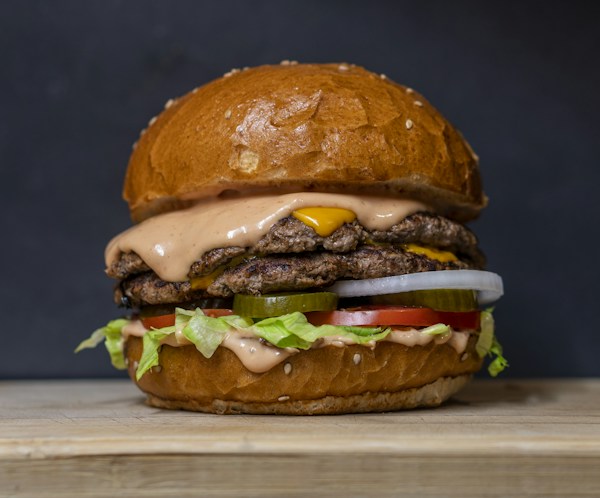
See It Before You Order

Click any item to see a full photo and detailed ingredients
QR Code Table Ordering

Generate a unique QR code for your table. Customers can scan and order directly from their phones with the table number pre-filled!

Table 1

How It Works

  • Customer scans QR code with phone camera
  • Opens menu with table number pre-filled
  • Customer browses and selects items
  • Pays securely through Toast system
  • Kitchen receives order with table info
  • Food delivered directly to their table!
Pro Tip: Print QR codes on table tents for easy access. Reduces wait times by 40%!

Virtual Tour

Explore Half Time 36 from anywhere

360° Virtual Tour

Experience our sports bar atmosphere before you visit. Explore the bar area, dining room, patio, and more!

How to Add Real 360° Photos

1
Capture 360° Photos

Use a 360 camera (Ricoh Theta, Insta360) or Google Street View app to capture panoramic photos of each area.

2
Choose a Platform

Upload to Kuula.co, Matterport, or Google Tour Creator for hosting and embedding.

3
Get Embed Code

Copy the iframe embed code from your chosen platform after uploading your tour.

4
Replace Placeholder

Swap the .tour-placeholder div with your embed iframe to display the live tour.

Example Embed Code:
<iframe width="100%" height="500"
  src="https://kuula.co/share/YOUR_TOUR_ID"
  frameborder="0" allowfullscreen>
</iframe>
Order Now Call Now